

QUALITY / INSPECTOR TRAINING
Inspector Training & Visual Defect Recognition
Learn what a defect looks like, where to look, and how the original comparison helps identify it.
Explore the supplied BIQC training photographs with English explanations, preserved defect markings and a supporting workflow reference. See how the documented competence and record controls support their use.
Explore the defect atlas7 browsing themes
82 examples & comparison sets
2 visual source files
PURPOSE & SCOPE
Build a shared visual vocabulary
The training deck aims to help staff recognize defects that may occur in different product types, understand what to check and detect defective products. It asks users to select the material appropriate to the product being inspected.
For sourcing teams, the representative images provide a quick introduction. For supplier quality engineers (SQEs), each group opens into the full set of included examples and source references.
These are training reference images. They are not all identified as this factory’s shipment defects. Brands, characters and labels within photographs do not imply a customer relationship or endorsement. This page does not establish a training course, certification scheme or a universal acceptance standard.
01 / VISUAL DEFECT ATLAS
Visual Defect Atlas by Product Detail
Browse documented examples of molding, assembly, printing, packaging and display defects. Start with two examples in each theme, then expand the group. Comparison sets remain intact. Select an image to inspect it, or use its image-file link.
The seven themes are editorial browsing groups. Original source references remain attached to the examples. Source photographs vary in resolution; image zoom stops at their supplied detail.
Key Defect Examples
Examples from the source’s two priority sections. Read each original classification in context; these labels are not converted into CR, MA or MI.
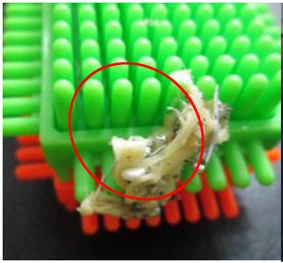
Chewing gum contamination
Source section: 重大问题点 (serious problems)
The red ellipse identifies chewing gum caught in the product.
Training PPT · slide 4 · left
Open image file: Chewing gum contamination ↗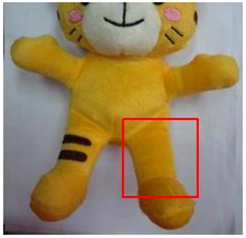
Missing screen printing
Source section: 重大问题点 (serious problems)
The red rectangle marks the missing print on the toy’s leg.
Training PPT · slide 4 · right
Open image file: Missing screen printing ↗View all 7 examples5 more below
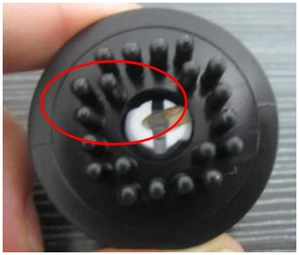
Insect wing contamination
Source section: 主要问题点 (main problems)
The source identifies an insect wing in the circled area of the black component.
Training PPT · slide 5 · upper left
Open image file: Insect wing contamination ↗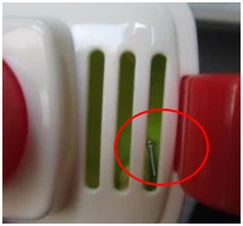
Stray screw inside the product
Source section: 主要问题点 (main problems)
The red ellipse identifies the screw introduced as foreign matter.
Training PPT · slide 5 · upper middle
Open image file: Stray screw inside the product ↗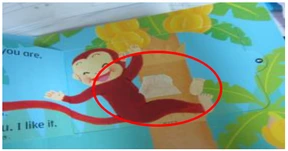
Unwanted label attached
Source section: 主要问题点 (main problems)
The source treats the attached label as foreign matter. A separate paper-product view appears on slide 16.
Training PPT · slide 5 · upper right
Open image file: Unwanted label attached ↗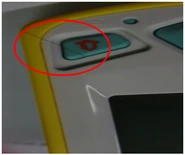
Hair trapped at an assembled part
Source section: 主要问题点 (main problems)
Follow the red ellipse around the hair crossing the button area.
Training PPT · slide 5 · lower left
Open image file: Hair trapped at an assembled part ↗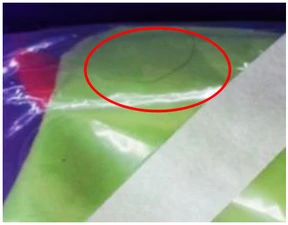
Hair inside a packaging bag
Source section: 主要问题点 (main problems)
The circled strand is inside the packaging bag.
Training PPT · slide 5 · lower middle
Open image file: Hair inside a packaging bag ↗Molding & Assembly
Recognize damage, molding defects and assembly problems. Separate views of the same condition stay together.
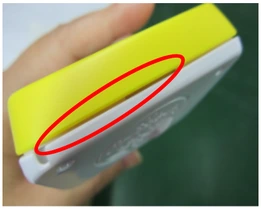
Excessive assembly gap
The long ellipse follows the gap between the yellow and white parts.
Training PPT · slide 9 · upper left
Open image file: Excessive assembly gap ↗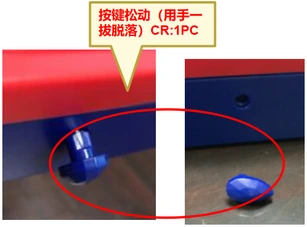
Loose button detaches when pulled by hand
Keep both views together: the button before and after detachment. The original callout reads “CR:1PC”; this is an example-specific mark, not a general sampling or acceptance rule.
Training PPT · slide 10 · upper middle comparison
Open image file: Loose button detaches when pulled by hand ↗View all 24 examples22 more below
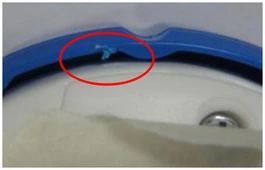
Impact damage
The ellipse marks damage to the edge of the blue molded part.
Training PPT · slide 7 · upper left
Open image file: Impact damage ↗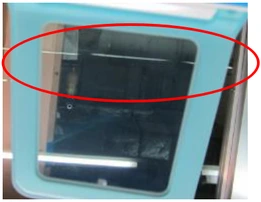
Scratches
The elongated ellipse marks scratches across the visible surface.
Training PPT · slide 7 · upper middle
Open image file: Scratches ↗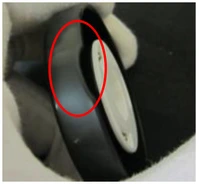
Incomplete molding (short shot)
The ellipse marks the area identified as missing molded material.
Training PPT · slide 7 · upper right
Open image file: Incomplete molding (short shot) ↗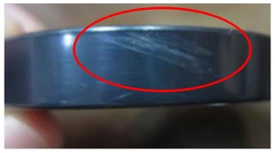
Molding streaks
The source labels the streaked appearance “料花”; it gives no cause or acceptance limit.
Training PPT · slide 7 · lower left
Open image file: Molding streaks ↗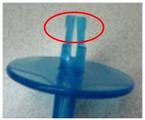
Deformation
The red ellipse identifies deformation at the end of the blue part.
Training PPT · slide 7 · lower middle
Open image file: Deformation ↗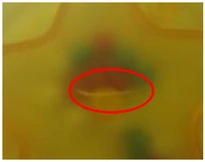
Crack in a molded part
The circled area is the source’s crack example.
Training PPT · slide 7 · lower right
Open image file: Crack in a molded part ↗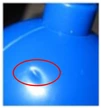
Sink mark
The circled depression is the sink-mark example. The supplied photograph is very small.
Training PPT · slide 8 · upper left
Open image file: Sink mark ↗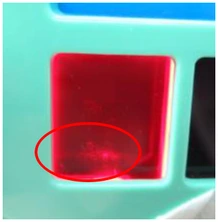
Bubble in a red molded part
The ellipse identifies the bubble in the red window.
Training PPT · slide 8 · upper middle
Open image file: Bubble in a red molded part ↗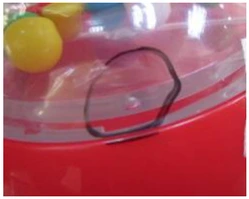
Bubble in a transparent molded part
The dark hand-drawn loop identifies a separate bubble example.
Training PPT · slide 8 · upper right
Open image file: Bubble in a transparent molded part ↗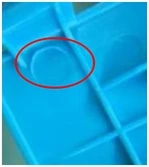
Flash that scratches the hand
The source identifies hand-scratching flash in the circled area.
Training PPT · slide 8 · lower left
Open image file: Flash that scratches the hand ↗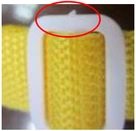
Uneven gate vestige on a white part
The ellipse identifies the uneven molded gate area.
Training PPT · slide 8 · lower middle
Open image file: Uneven gate vestige on a white part ↗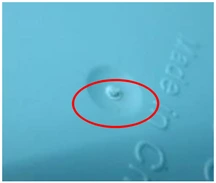
Uneven gate vestige on a blue part
A second gate-area example, retained as a distinct photograph.
Training PPT · slide 8 · lower right
Open image file: Uneven gate vestige on a blue part ↗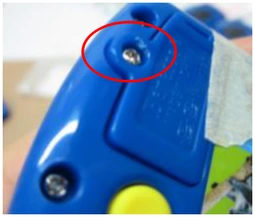
Damaged screw hole
The red ellipse locates damage around the screw hole.
Training PPT · slide 9 · upper middle
Open image file: Damaged screw hole ↗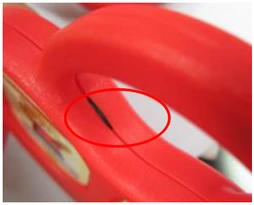
Pinched wire
The marked area shows a wire trapped at the enclosure joint.
Training PPT · slide 9 · upper right
Open image file: Pinched wire ↗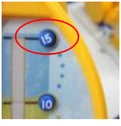
Misaligned button
The ellipse identifies the button’s incorrect installed position.
Training PPT · slide 9 · lower left
Open image file: Misaligned button ↗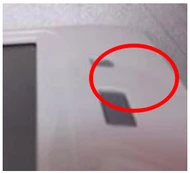
Sunken button
The red ellipse identifies the recessed button.
Training PPT · slide 9 · lower middle
Open image file: Sunken button ↗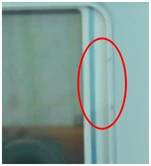
Dust inside the enclosure
The source identifies internal dust in the marked area.
Training PPT · slide 9 · lower right
Open image file: Dust inside the enclosure ↗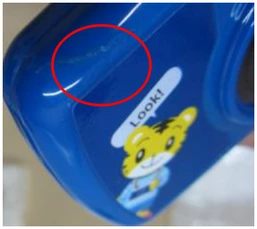
Adhesive residue
The circle identifies adhesive on the blue surface.
Training PPT · slide 10 · upper left
Open image file: Adhesive residue ↗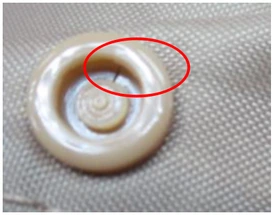
Cracked component
The ellipse marks the crack in the round component.
Training PPT · slide 10 · upper right
Open image file: Cracked component ↗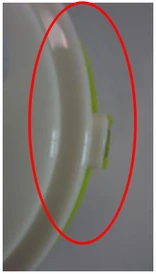
Surface step mismatch
The ellipse follows the uneven level between assembled surfaces.
Training PPT · slide 10 · lower left
Open image file: Surface step mismatch ↗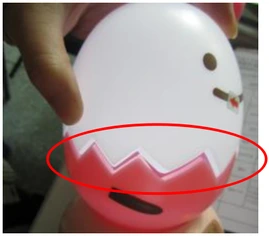
Incomplete assembly with an opened joint
The marked joint has opened where the parts are not fully assembled.
Training PPT · slide 10 · lower middle
Open image file: Incomplete assembly with an opened joint ↗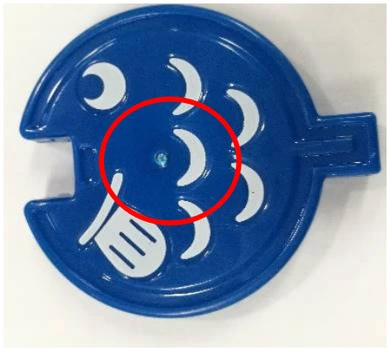
Ejector-related whitening
The circle identifies the whitened area on the blue molded part.
Training PPT · slide 10 · lower right
Open image file: Ejector-related whitening ↗Screws & Spring Contacts
Compare screw seating, missing screws, plating appearance, damaged heads and battery contacts.
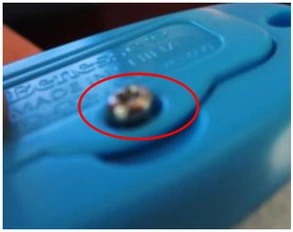
Screw not fully seated
The ellipse highlights the screw projecting above its seating position.
Training PPT · slide 11 · upper left
Open image file: Screw not fully seated ↗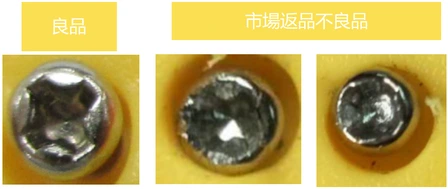
Good screw and defective market-return screws
Left: good product. Center and right: defective products returned from the market, as labeled in the source. All three views belong to this comparison.
Training PPT · slide 12 · three-photo comparison
Open image file: Good screw and defective market-return screws ↗View all 6 examples4 more below
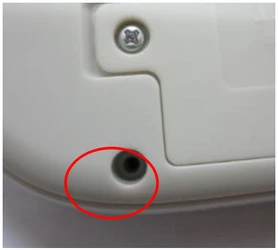
Missing screw
The ellipse marks an empty screw location.
Training PPT · slide 11 · upper middle
Open image file: Missing screw ↗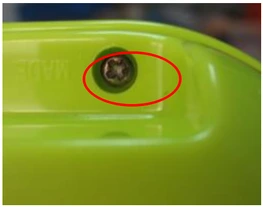
Yellowed screw (plating defect)
The source identifies the yellow appearance as a plating defect.
Training PPT · slide 11 · upper right
Open image file: Yellowed screw (plating defect) ↗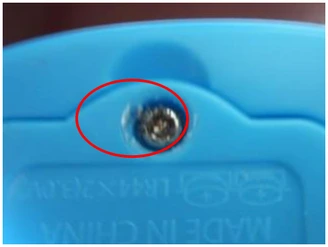
Damaged screw head
The circle identifies damage to the screw-head drive.
Training PPT · slide 11 · lower left
Open image file: Damaged screw head ↗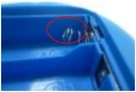
Deformed battery spring contact
The ellipse marks the deformed contact. Detail is limited by the small source photo.
Training PPT · slide 11 · lower middle
Open image file: Deformed battery spring contact ↗Painting, Printing & Labels
Look for coating defects, interrupted screen printing and changes in label position or adhesion.
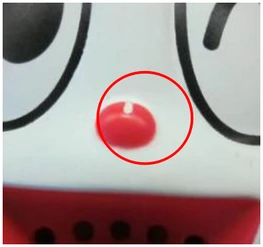
Missing paint coverage
The ellipse highlights incomplete paint coverage on the red detail.
Training PPT · slide 13 · lower left
Open image file: Missing paint coverage ↗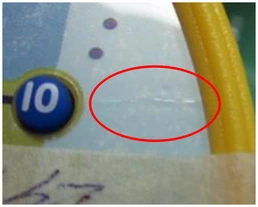
Wrinkled label
The ellipse identifies a wrinkle in the label.
Training PPT · slide 14 · upper middle
Open image file: Wrinkled label ↗View all 10 examples8 more below
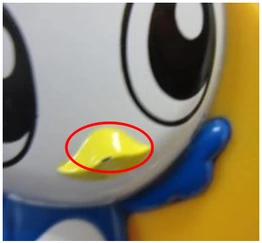
Scratch in the painted finish
The ellipse marks the scratch on the yellow painted area.
Training PPT · slide 13 · upper left
Open image file: Scratch in the painted finish ↗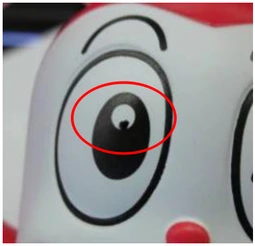
Overspray around a printed eye
The ellipse identifies the overspray example around the eye.
Training PPT · slide 13 · upper middle
Open image file: Overspray around a printed eye ↗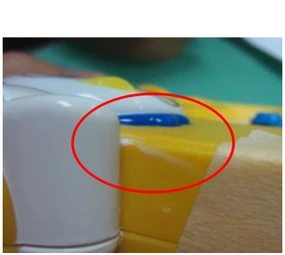
Overspray at the housing edge
This is a separate overspray photograph at a different product location.
Training PPT · slide 13 · upper right
Open image file: Overspray at the housing edge ↗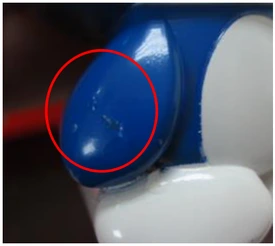
Paint buildup
The ellipse marks the source’s paint-accumulation example.
Training PPT · slide 13 · lower middle
Open image file: Paint buildup ↗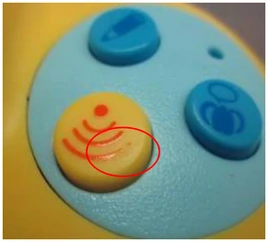
Interrupted screen printing
The circled printed line is incomplete.
Training PPT · slide 13 · lower right
Open image file: Interrupted screen printing ↗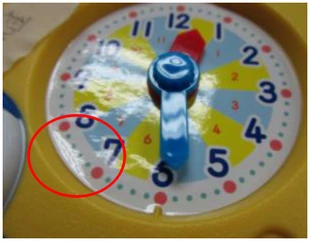
Lifting label
The marked area shows the label lifting from the product surface.
Training PPT · slide 14 · upper left
Open image file: Lifting label ↗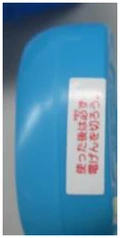
Misaligned label
The source identifies incorrect label placement on the blue part.
Training PPT · slide 14 · upper right
Open image file: Misaligned label ↗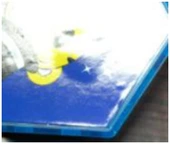
Bubbles under a label
The source identifies bubbling on the labeled surface. The original image has limited detail.
Training PPT · slide 14 · lower left
Open image file: Bubbles under a label ↗Paper Products & Packaging
Compare printing, page and edge damage, delamination, deformation and packaging defects.
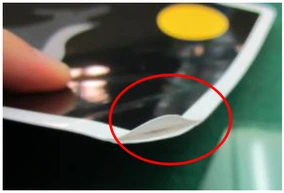
Page delamination
The ellipse marks the separation between layers of the page.
Training PPT · slide 15 · lower right
Open image file: Page delamination ↗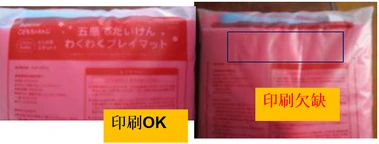
Packaging print: OK and missing print
Left: printing labeled OK. Right: missing printing, with the affected area outlined. Keep the pair together.
Training PPT · slide 20 · upper left comparison
Open image file: Packaging print: OK and missing print ↗View all 14 examples12 more below
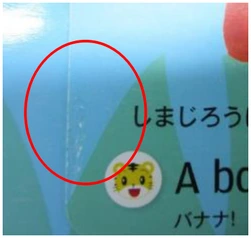
Printing defect on a blue page
The ellipse identifies the first paper-printing defect example.
Training PPT · slide 15 · upper left
Open image file: Printing defect on a blue page ↗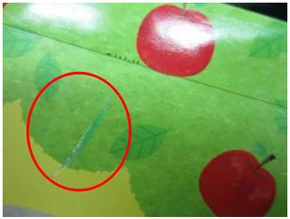
Printing defect on a green page
A second printing-defect example, on a different page.
Training PPT · slide 15 · upper middle
Open image file: Printing defect on a green page ↗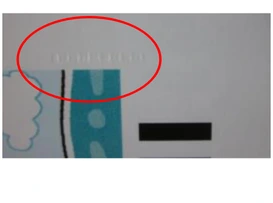
Indentations in the paper surface
The ellipse marks the row of impressions in the paper.
Training PPT · slide 15 · upper right
Open image file: Indentations in the paper surface ↗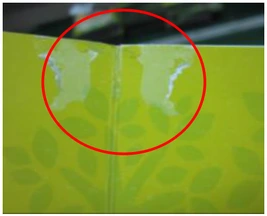
Damaged green book page
The ellipse marks damage to the printed page surface.
Training PPT · slide 15 · lower left
Open image file: Damaged green book page ↗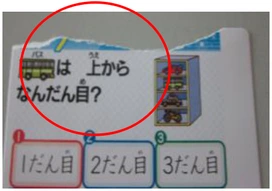
Torn book-page edge
The ellipse identifies the torn upper edge of the page.
Training PPT · slide 15 · lower middle
Open image file: Torn book-page edge ↗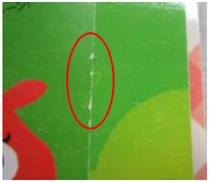
Worn paper edge
The ellipse follows wear along the green page edge.
Training PPT · slide 16 · upper left
Open image file: Worn paper edge ↗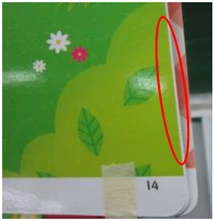
Uneven page edges
The narrow ellipse identifies the misaligned page edges.
Training PPT · slide 16 · upper right
Open image file: Uneven page edges ↗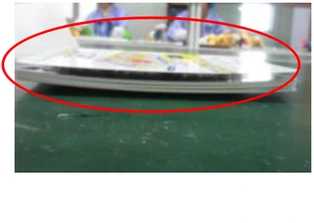
Deformed book
The wide ellipse follows the distorted profile of the book.
Training PPT · slide 16 · lower left
Open image file: Deformed book ↗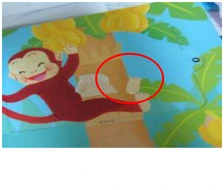
Sticker attached to a paper product
This paper-product view is retained with its own source context; slide 5 separately describes an unwanted label as foreign matter.
Training PPT · slide 16 · lower right
Open image file: Sticker attached to a paper product ↗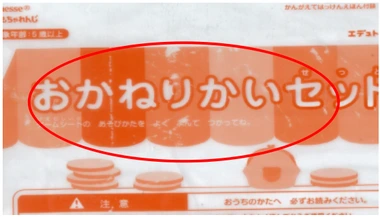
Packaging-bag printing defect
The broad ellipse marks the defective printed area.
Training PPT · slide 20 · upper right
Open image file: Packaging-bag printing defect ↗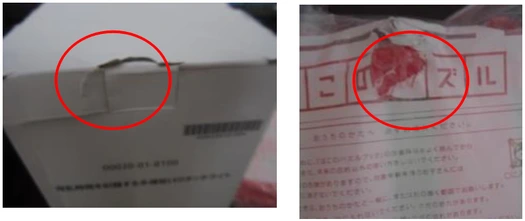
Damaged box and plastic bag
Left: damage to a printed box. Right: a torn plastic bag. The source groups these two photographs under one caption.
Training PPT · slide 20 · lower left pair
Open image file: Damaged box and plastic bag ↗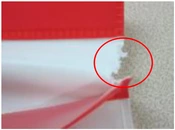
Torn packaging edge
The ellipse identifies a separate tear at the packaging edge.
Training PPT · slide 20 · lower right
Open image file: Torn packaging edge ↗Electronics & Displays
Recognize missing display segments, abnormal screens, indicator behavior and the source’s card-reading comparison.
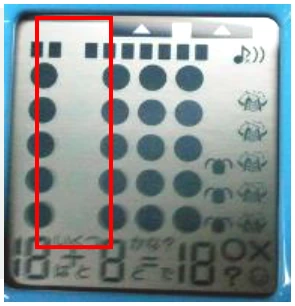
Missing LCD segments: left display area
The original red rectangle locates the affected left-hand display area.
Training PPT · slide 17 · upper middle
Open image file: Missing LCD segments: left display area ↗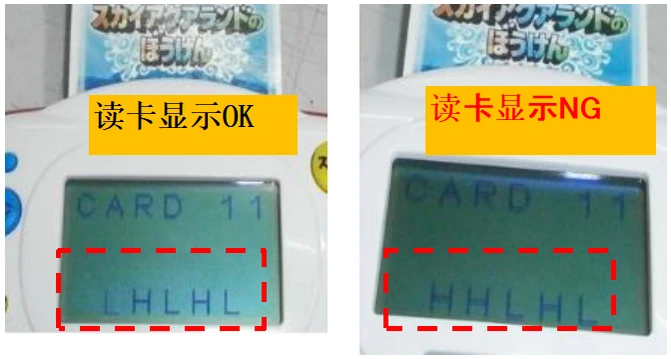
Card-reading display: OK / NG
Left: card-reading display labeled OK. Right: display labeled NG. Compare the lower characters inside the dashed rectangles.
Training PPT · slide 19 · lower right comparison
Open image file: Card-reading display: OK / NG ↗View all 13 examples11 more below
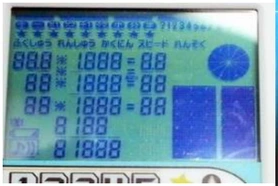
Missing LCD segments: display overview
The source identifies missing LCD segments in this overview. It does not mark a single location in this photograph.
Training PPT · slide 17 · upper left
Open image file: Missing LCD segments: display overview ↗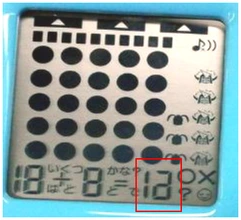
Missing LCD segments: numeric area
The small rectangle identifies the affected numeric display area.
Training PPT · slide 17 · upper right
Open image file: Missing LCD segments: numeric area ↗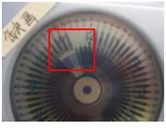
Missing LCD segments: round display
The red rectangle marks the affected area in the circular display.
Training PPT · slide 17 · lower left
Open image file: Missing LCD segments: round display ↗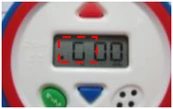
Missing segments: small digital display
The dashed rectangle identifies missing segments in a separate display.
Training PPT · slide 17 · lower middle
Open image file: Missing segments: small digital display ↗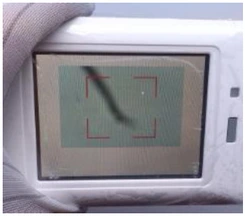
Dark shadow on the display
The source photograph shows a dark shadow across the screen.
Training PPT · slide 18 · upper left
Open image file: Dark shadow on the display ↗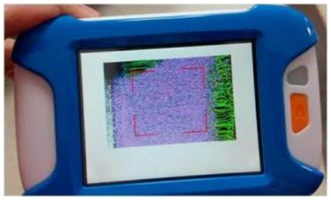
Garbled display
The source identifies an abnormal, garbled screen image.
Training PPT · slide 18 · upper right
Open image file: Garbled display ↗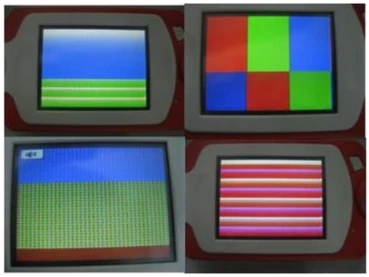
Abnormal color-display patterns
The source combines four abnormal screen patterns in one photograph. All four are retained.
Training PPT · slide 18 · lower left four-view image
Open image file: Abnormal color-display patterns ↗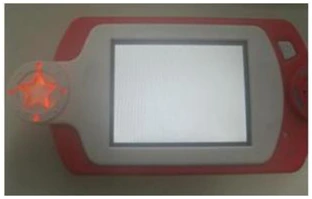
White screen at startup
The source identifies the white display appearing when the product is switched on.
Training PPT · slide 18 · lower right
Open image file: White screen at startup ↗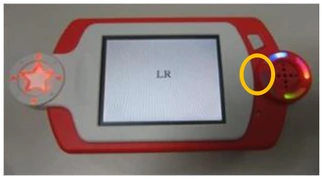
LED does not light
The yellow ellipse identifies the LED that is not lit.
Training PPT · slide 19 · upper left
Open image file: LED does not light ↗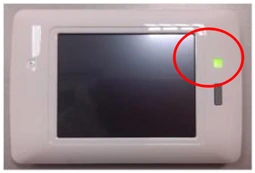
Light remains on after shutdown
The red circle marks the light that remains on after the product is switched off.
Training PPT · slide 19 · upper middle
Open image file: Light remains on after shutdown ↗
Adhesive strand inside the LCD
The source identifies an adhesive strand inside the display.
Training PPT · slide 19 · lower left
Open image file: Adhesive strand inside the LCD ↗Contamination & Physical Hazards
Use the original overview and detail views to locate insects, detached small parts, a hand-scratching surface and blood stains.
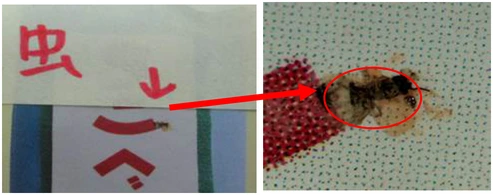
Insect contamination: overview and detail
The red arrow connects the product location on the left to the enlarged insect detail on the right.
Training PPT · slide 21 · upper comparison
Open image file: Insect contamination: overview and detail ↗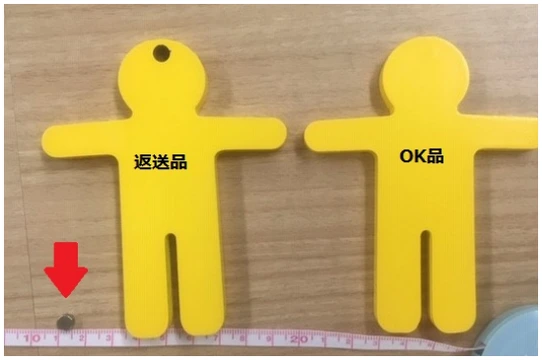
Returned item / OK item: small-part comparison
Left: returned item, with the detached piece indicated by an arrow. Right: OK item. The source’s comparison and ruler remain together.
Training PPT · slide 22 · upper right comparison
Open image file: Returned item / OK item: small-part comparison ↗View all 8 examples6 more below
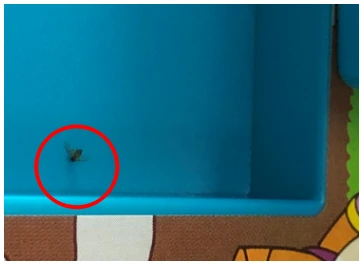
Insect inside a blue tray
The circle marks a separate insect-contamination example.
Training PPT · slide 21 · lower left
Open image file: Insect inside a blue tray ↗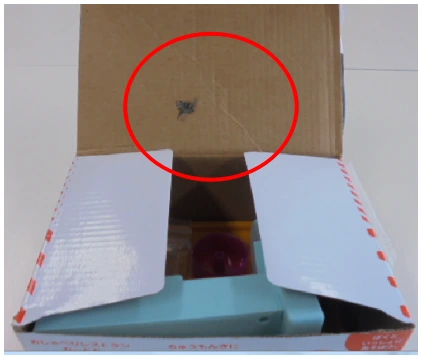
Insect on the inside of a carton
The red ellipse marks the insect on the inside flap.
Training PPT · slide 21 · lower right
Open image file: Insect on the inside of a carton ↗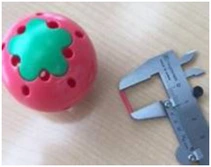
Small part released from a pink ball
The source places this photo under “Internal small parts fall out.” A caliper is shown, but no numerical reading is stated in the slide.
Training PPT · slide 22 · upper left
Open image file: Small part released from a pink ball ↗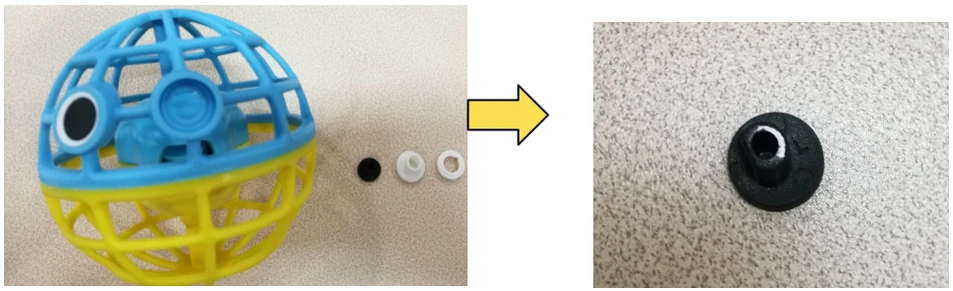
Detached small parts: product and detail
The arrow links the ball and separated parts on the left to a detail of the black component on the right.
Training PPT · slide 22 · lower comparison
Open image file: Detached small parts: product and detail ↗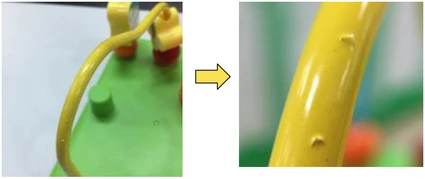
Surface that scratches the hand
The source places this example under hand scratching / injury. The arrow links the overall yellow part to the close-up of the raised irregularities.
Training PPT · slide 23 · overview and detail
Open image file: Surface that scratches the hand ↗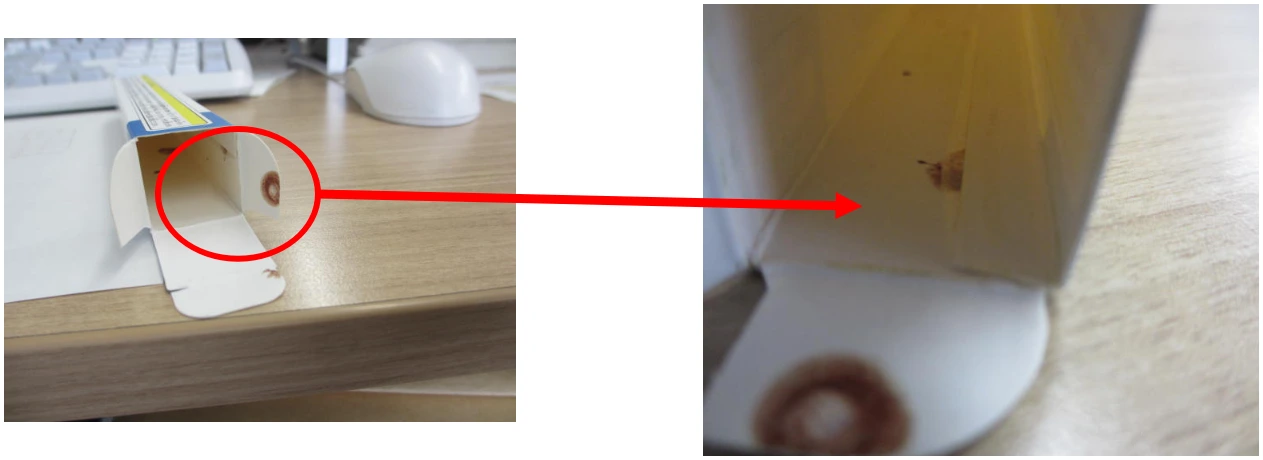
Blood stains: overview and detail
The source identifies the marks as blood stains. The circle and arrow connect the carton location to the close-up.
Training PPT · slide 24 · overview and detail
Open image file: Blood stains: overview and detail ↗02 / SUPPORTING PROCESS REFERENCE
BIQC Workflow Reference
The workbook’s Sheet5 shows the following sequence with six downward arrows. It starts at the OQC accepted-product area.
- OQC accepted-product areaSheet5 · E5:H7
- Tapping and screw function confirmation in the BIQC roomSheet5 · E12:H14
- BIQC functional confirmationSheet5 · E19:H21
- BIQC functional confirmation: OKSheet5 · E26:H28
- BIQC accepted-product areaSheet5 · E33:H36
- Product appearance confirmation before packagingSheet5 · E41:H44
- BIQC check for missed inspection: OK, then the next operationSheet5 · E49:H52
Read only what the flow records
“Tapping,” “screw function confirmation” and “check for missed inspection” translate the recorded actions. The sheet does not specify tapping force, number of repetitions or a detailed method for these checks.
The final box records an OK confirmation before the next operation. It is not evidence of a measured zero-miss rate. No rejection or rework branch is shown in this flow.
This is a supporting reference from the supplied workbook. It does not by itself describe the complete quality-management system or an in-process inspection procedure.
03 / ORIGINAL MATERIAL REFERENCES
Selected source views
The training PPT supplies the defect examples. The BIQC workbook adds the workflow, room-identification reference and a consolidated training board.
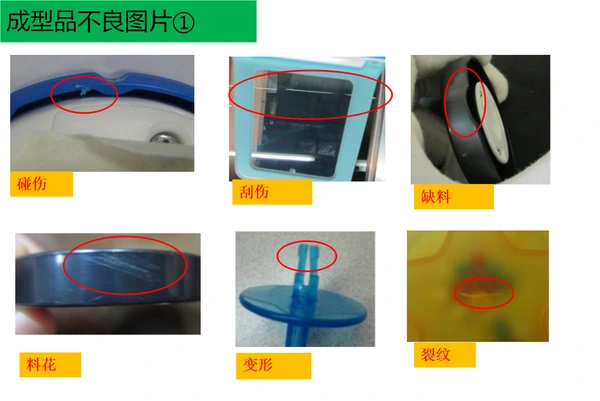
Training slide excerpt
A selected molding-defect slide with its original Chinese labels. The gallery supplies the English captions.
Training PPT · slide 7
Open image file: Training slide excerpt ↗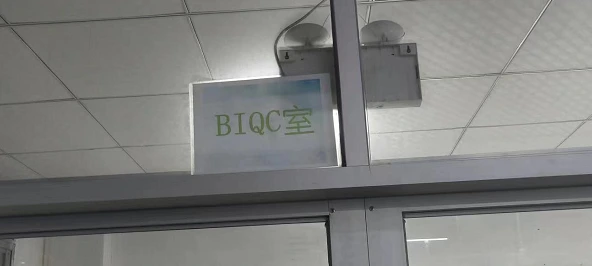
BIQC room identification
The doorway photograph identifies the BIQC room. Sheet1 also lays out one quality-slogan area and two team-slogan areas; no slogan wording is supplied.
BIQC workbook · Sheet1 · Picture 1 / A1:K22
Open image file: BIQC room identification ↗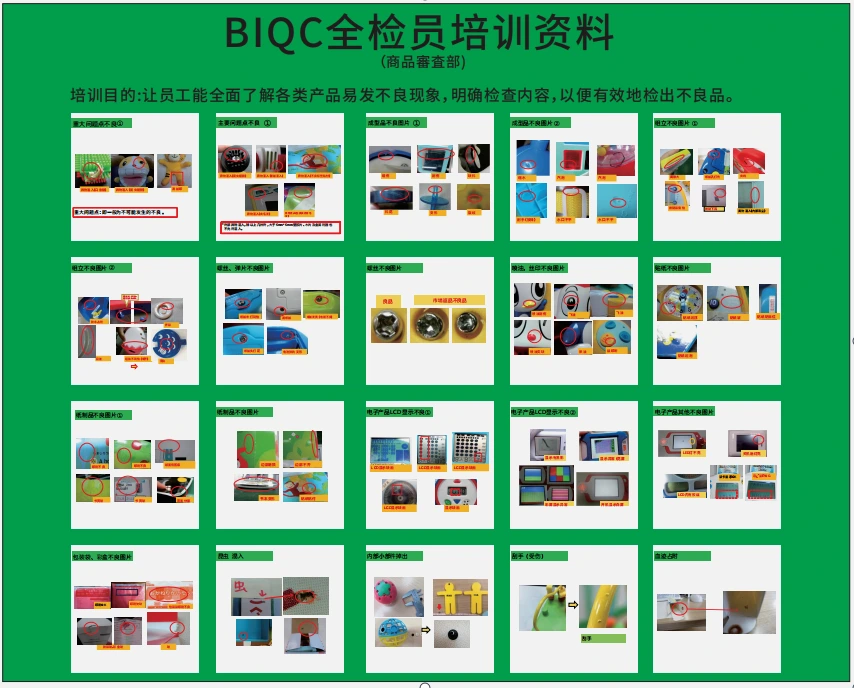
Training-board overview
Sheet2 contains one embedded board image and no cell text. Its 20 panels repeat the PPT’s example pages; use the gallery for the individual photographs.
BIQC workbook · Sheet2 · Picture 1
Open image file: Training-board overview ↗Source version, coverage and reading limits
Training PPT: 24 actual slides. The cover states revised 28 May 2019, R:04. Slides 1–3 and 6 introduce the purpose and contents; the other 20 slides contain examples. References on this page use actual slide positions.
Contents mismatch: the contents pages refer to pages through 32 and list dedicated wood-product and sewn-product sections that are absent from the supplied deck. Those missing chapters have not been reconstructed.
One image withheld: the middle image on slide 4 is labeled “insect wings,” but the photograph and marked area do not establish that label clearly. It is omitted from the defect atlas pending source clarification.
BIQC workbook: all three sheets were reviewed. Sheet5 supplies the seven-step flow. Sheet1 supplies the room-sign photo and slogan-area layout. Sheet2 supplies one embedded training-board image, repeating the PPT’s 20 example pages; it is shown once as an overview.
The original working files remain private. Small source images and labels have not been enhanced to invent missing detail. The acronym BIQC is retained as supplied.
04 / COMPETENCE PLANNING & ASSESSMENT
Inspector Competence & Training Effectiveness
The visual atlas supports learning. The resource-management procedure supplies the wider control: identify what the role requires, provide appropriate training and evaluate its effectiveness.
- Identify the role's needsDepartment leaders identify training needs from the quality responsibilities and skills of each role.
- Plan and provide trainingHuman Resources coordinates the approved training plan; Quality and Production provide the relevant quality and operating instruction.
- Assess understanding and applicationUse the appropriate written, oral or practical assessment, and retain the training and assessment record.
- Review effectiveness in the rolePeriodic sample assessments check whether staff remain capable of the assigned work and identify where further action is needed.
Prepare for the actual assignment
Training needs include induction, instruction before taking up a role and relevant training when moving to a different workshop or job. Applicable process documents and operating skills form part of that preparation.
For an inspector, review the product-specific specification, reference sample and current inspection instruction alongside the relevant defect examples. A photograph can help recognize a condition; the approved requirement determines the decision.
A supplier review can request an appropriate completed example linking the role, training content, assessment and effectiveness follow-up. A blank form or attendance list alone cannot establish competence.
05 / HONEST INSPECTION RECORDS
Record the result that was actually observed
The quality-record procedure requires clear, complete, truthful and accurate records, with assigned responsibility for collection, filing and access. The quality-culture and ethics procedure reinforces honest reporting and fair inspection decisions.
- Record actual observations and results against the applicable requirement.
- Report defects and concerns through the assigned quality route.
- Do not fabricate results, hide nonconformity, alter a decision without authority or release rejected goods without approval.
- Protect customer, technical and quality information from unauthorized access or disclosure.
These are documented expectations. Their application is assessed through the relevant records, supervision and follow-up; this page does not claim a completed training event or an inspector certification.
06 / READING THE TRAINING MATERIAL
Inspector training questions
What can an inspector learn from these visual examples?
The supplied training material aims to help staff recognize defects that can occur in different products and understand what to inspect. The photographs show defect locations and selected comparisons. The source asks users to choose material appropriate to the product type.
Do these photographs define acceptance criteria for every product?
No. This page is a defect-recognition reference. It does not establish universal tolerances or replace the applicable product specification, reference sample or inspection standard. Read the separate Appearance Inspection page when reviewing that standard’s criteria.
How should OK, NG and CR:1PC be read?
OK and NG identify the acceptable and unacceptable views in the specific source comparison. CR:1PC is retained on the loose-button example from slide 10, where the button detaches when pulled by hand. It is not presented here as a general sampling plan or acceptance rule.
How do the visual references relate to competence controls?
The deck is marked revised 28 May 2019, R:04; that identifies its source version. The two visual source files do not establish inspector certification. Separate resource-management procedures define role-based training planning, assessment and effectiveness review. Completed training and assessment records are needed to evaluate their implementation.
How is training effectiveness assessed?
The resource procedure uses written, oral or practical assessment as appropriate, followed by periodic sampling of staff competence to evaluate whether training remains effective for the role. New assignments and relevant work instructions also inform training needs. Attendance alone does not show that an inspector can apply the required criteria.
What record-keeping behavior is expected of inspectors?
The quality-record and ethics procedures call for truthful, complete and accurate records, protection of confidential information and escalation of quality concerns. They prohibit fabricated results, concealed nonconformity, unauthorized changes to inspection results and unauthorized release of rejected product.
YOUR PRODUCT / YOUR INSPECTION NEEDS
Bring the relevant examples into your product discussion
Share the product, drawings or reference sample, and the defect examples that need attention. Keep product-specific acceptance criteria separate from this visual training reference.
Discuss Your Inspection RequirementsUse the inquiry form to prepare your brief, or review the quality-control checklist.