
01
Print position
Locate the part in its fixture and check the graphic against the agreed placement.
MANUFACTURING / PRODUCT DECORATION
Logo, text and graphic printing with defined positioning, layer sequence and visual checks.
Xinyinhai’s archived work instructions show how decoration connects with molding and assembly. They document fixtures, separate printing steps and sample comparison. We review the setup for your part and artwork.
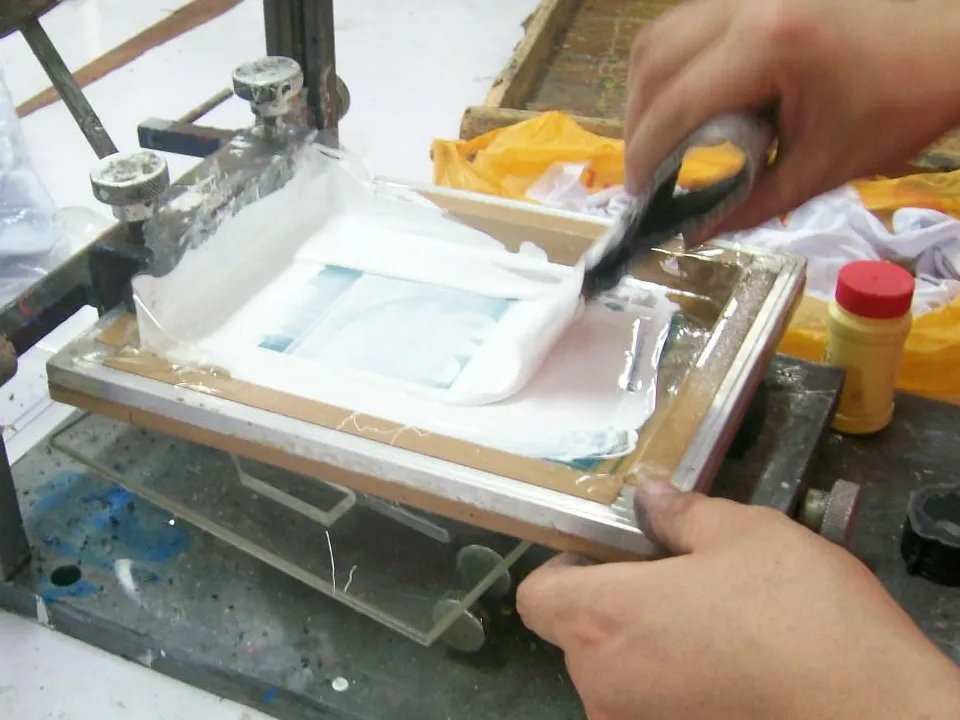
Original work-instruction photograph: screen lowered over a fixture-held plastic part for base-layer printing.
01 / THE CONTROL POINTS
Position, color, clarity and part condition need explicit references. These are the practical control points reflected in the archived printing and inspection instructions.
Locate the part in its fixture and check the graphic against the agreed placement.
Compare the printed color with the confirmed color or physical sample reference.
Check that text, edges and graphic details are clear and complete.
Check that the surface layer aligns with the base layer and intended artwork.
Look for visible dirt or unwanted marks on the plastic surface.
Check for visible scratches or damage associated with handling.
02 / FROM REQUIREMENT TO REFERENCE
Review the requirement, locate the part, print in sequence and inspect the result. The archived flow directly connects base-layer printing, surface-layer printing and QC.
Confirm artwork, print area, color reference and acceptance requirements.
Review material and finish; check the surface and handling needs.
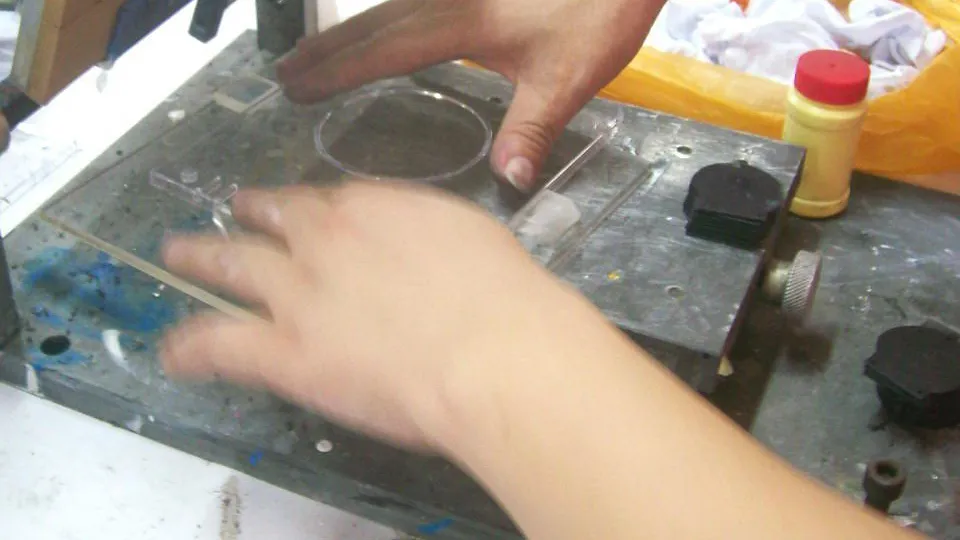
Place the part in the locating fixture in the specified orientation.
Lower the screen and print the first layer for the agreed sequence.
Position the base-printed part and align the surface layer.
Check position, color, clarity, registration and part condition.
Compare the result with the approved sample and agreed requirements.
The seven-step review framework adds artwork and preparation decisions around the documented printing sequence. Layer count, surface preparation and drying or curing requirements must be agreed for the actual project.
03 / POSITION BEFORE PRINTING
The archived instruction places the plastic part in a locating fixture in a specified orientation before the screen is lowered. The fixture provides a physical reference for the print location.
04 / BASE LAYER → SURFACE LAYER → QC
For multi-layer graphics, each printing step must maintain alignment with the previous layer and the agreed artwork. The two archived work instructions show separate base-layer and surface-layer operations.
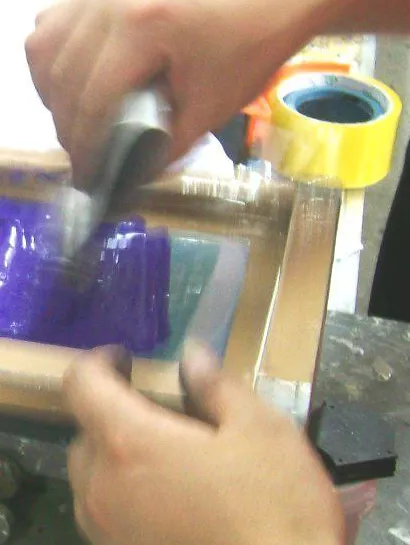
This is one documented layer sequence. It does not establish a universal process for every multi-color design. Colors in the schematic illustrate alignment; they are not a customer artwork or a print-performance claim.
05 / LOOK AT THE RESULT
The inspection instruction names six visual criteria and directs the inspector to the sample. For a new project, agree the sample and written requirements that define acceptance.
Approve the artwork, placement, color reference and cosmetic criteria together.
Illustrative inspection principleGraphic placement matches the specified position on the part.
The printed color agrees with the confirmed reference.
Text and graphic details are legible, with no obvious missing or blurred areas.
The printed layers align as intended in the artwork.
The visible surface is free of unwanted dirt and marks.
The plastic part has no visible damage against the agreed cosmetic criteria.
The inspected part is checked against the agreed reference, not memory.
Visual checks do not establish adhesion or wear resistance. Specify any additional validation during the project review. Explore product-testing planning.
06 / RISK → CONTROL
Positioning and inspection help manage printing risks. The controls below show what to check and compare; they do not imply defect-free output or an unverified yield.
07 / ONE PRODUCT, CONNECTED OPERATIONS
We review plastic manufacturing, decoration and assembly as connected parts of your product project. Print access and handling requirements help determine when decoration belongs in the sequence.
Part geometry, material & finish
Locate, print & compare
Protect decorated surfaces
Check the complete product
Define handling & protection
The final route depends on the part. Printing may need to happen before assembly if the assembled product restricts screen or fixture access. Review the OEM manufacturing controls.
Review customization options08 / MANUFACTURING EVIDENCE
Xinyinhai’s archived manufacturing work instructions show documented positioning, layered printing and visual inspection controls. They provide historical process evidence; the setup and validation for your product are confirmed during review.
Base layer → surface layer → QC.
Specified part orientation, locating fixture and screen operation.
Position the base-printed part for the next printing step.
Six visual checks with a reference-sample comparison.
09 / APPLICATION FIT
These are application types to review, subject to the actual material, geometry, artwork and intended use. The archived product example does not define the current product range.
Brand marks, product text and interface graphics on accessible plastic surfaces.
Symbols, simple instructions and graphics reviewed with the product function.
Customer-authorized artwork and logo placement on the selected product.
Legends and identification graphics, subject to geometry and material review.
10 / CHOOSE FOR THE PART
Decoration method selection depends on geometry, material, artwork, durability and production requirements. Use the comparison to frame a review, then confirm the route with the actual part.
| Method | What it offers | What to review |
|---|---|---|
| Screen printing | Direct ink graphics on a surface the screen can reach. | Print area, surface geometry, ink/material compatibility and the layer sequence. |
| Pad printing | Graphics transferred with a flexible pad onto shaped surfaces. | Pad access, geometry and graphic dimensions; confirm by trials. |
| Labels / stickers | Artwork carried on an applied label. | Adhesive compatibility, surface texture, label edges and use conditions. |
| In-mold decoration | Decoration integrated during molding. | Coordinate tooling, film/resin compatibility and the molded part design. |
| Laser marking | Identification marks on a compatible material. | Test the actual resin and color for suitable contrast and appearance. |
General process guidance: Nazdar: substrate compatibility; Teca-Print: pad printing; Avery Dennison: label adhesion; Serigraph: in-mold decoration; TRUMPF: laser marking plastics. These references do not identify the inks or equipment used at Xinyinhai.
11 / PREPARE A USEFUL INQUIRY
Send the part and the artwork together. A logo file alone does not establish print access, material compatibility, color acceptance or the production setup.
Editable artwork, outlined text, artwork revision and separate layers or colors where applicable.
Part drawing with print area, orientation, dimensions and reference edges.
Pantone reference where specified, number of colors and a physical color sample if available.
Plastic type and grade if known, molded color, and whether parts are supplied or need molding.
Texture, gloss, coating and any surface features that affect print access or appearance.
Reference part or representative sample, with approved artwork and revision identified.
Viewing requirements, critical areas and any required adhesion, wear or chemical-resistance tests.
Trial quantity, order quantity, repeat-order forecast and target schedule.
A Pantone reference communicates your requested color; it is not a claim of instrument-based color matching or a universal color-difference tolerance. Confirm the physical sample and acceptance method together.
12 / BUYER QUESTIONS
Key decisions for procurement, product and engineering teams reviewing printed plastic parts.
Screen printing transfers ink through a patterned screen onto a plastic surface to form logos, text or graphics. Part geometry, material, surface finish and artwork determine whether the process is suitable.
We can review logo and graphic printing as part of a plastic or electronic product manufacturing project. Share the molded part, material, surface finish and artwork so print access, positioning and the required result can be assessed before quotation.
The archived work instructions specify placing the plastic part into a locating fixture in a defined orientation before lowering the screen. Visual inspection then checks the print location. For a new part, the fixture and acceptance requirements must be defined for that geometry.
The documented example uses a base-layer operation followed by positioning the base-printed part for a surface-layer operation. QC checks the alignment of the printed layers against the reference sample. The number of layers, their order and the setup are agreed for each new artwork.
Provide editable vector artwork where available, with text outlined, the artwork revision identified and colors or layers separated where applicable. Include a dimensioned placement drawing, color references and a sample if available. Confirm the accepted file format during the project review.
Yes. Printing can be reviewed alongside molding, assembly, inspection and packaging for a manufacturing project at Xinyinhai. The sequence depends on access to the printing surface, part handling and the agreed assembly plan; decoration may need to take place before assembly.
The archived inspection instruction checks print position, correct color, graphic clarity, layer registration, surface cleanliness and absence of damage, with reference to the sample. Any additional adhesion, abrasion or chemical-resistance requirements must be specified and confirmed for the project.
Suitability depends on screen and fixture preparation, the number of colors, part geometry and the quantity. Share the trial and production volumes for review. No universal minimum order quantity or cost advantage is assumed before the project is assessed.
YOUR NEXT PRODUCT
Share your part drawing, artwork, material, color requirement and target quantity. Bring decoration into the manufacturing review while the product is still being defined.
Use the inquiry form to prepare your brief, or share it with your existing project contact. This download prepares your inquiry; it does not submit it.